
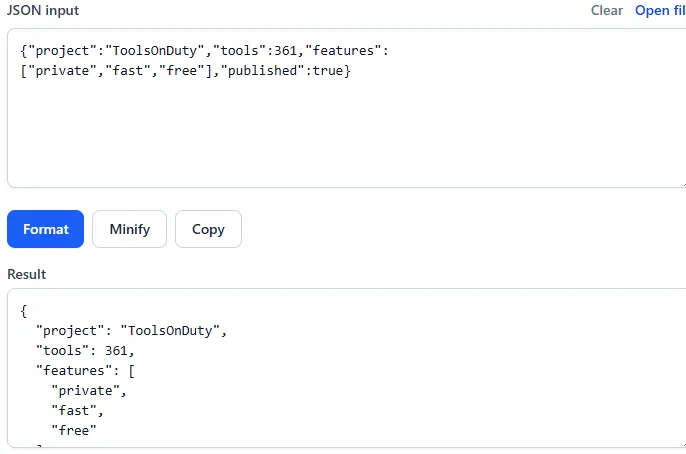
JSON is easy for software to exchange and difficult for people to inspect when it arrives on one long line. Formatting adds indentation and line breaks so nested objects and arrays become visible. Validation checks whether the text follows JSON syntax before an application tries to use it.
Formatting should not alter keys, values, or array order. It only changes whitespace. That distinction is important when you are debugging an API response, reviewing a configuration file, or preparing sample data for documentation.
What valid JSON requires
A JSON document contains an object, array, string, number, boolean, or null value. Object keys and string values use double quotes. Items are separated by commas, and nested structures must close with the matching brace or bracket.
- Use double quotes around every object key.
- Do not leave a trailing comma after the final item.
- Escape double quotes and backslashes inside strings.
- Use true, false, and null in lowercase without quotes.
Common JSON syntax errors
Single quotes are common in JavaScript but invalid in strict JSON. Comments are also not part of the JSON standard. Missing commas, extra commas, unescaped line breaks, and mismatched brackets account for many parsing failures.
When a parser reports a position, inspect the character immediately before it as well. The parser often notices a problem only when it reaches the next token, so the actual mistake may be a missing comma or quote on the previous line.
{
  "name": "ToolsOnDuty",
  "free": true,
  "toolCount": 361
}
Format without changing the data
Paste the JSON into a formatter and run the formatting action. If the input is valid, the result should preserve every key and value while making the hierarchy readable. Two-space indentation is compact and common on the web, while four spaces can be easier to scan in deeply nested files.
Do not sort keys unless you deliberately want to change their presentation. Although JSON object order should not carry business meaning, logs, tests, and human review often become harder when keys move unexpectedly.
Handle sensitive JSON carefully
API responses and configuration files may include access tokens, customer records, internal URLs, or credentials. Remove secrets before sharing examples. For private data, prefer a formatter that runs locally in your browser instead of sending the document to a remote service.
After the formatter validates the structure, compare the result with the source before copying it or converting suitable tabular data to CSV. The operation runs on the page and does not require an account.
Try the related tools
Apply the steps from this guide directly in your browser.
Frequently asked questions
Does formatting JSON change its data?
No. Proper formatting changes only whitespace and indentation. Keys, values, array order, and data types remain the same.
Why are single quotes invalid in JSON?
The JSON specification requires double quotes for object keys and strings. Single quotes may work in JavaScript source code, but they are not valid JSON syntax.
Can JSON contain comments?
Standard JSON does not support comments. Put explanatory information in a normal data field or use a different configuration format that explicitly supports comments.