
Pricing Strategy Studio
Build a complete product or service pricing strategy with dynamic costs, margin or markup targets, protected promotions, wholesale scenarios, market positioning and break-even analysis.
About the Pricing Strategy Studio
Pricing Strategy Studio turns a basic cost-plus calculation into a structured commercial pricing decision. Build an editable cost stack containing per-unit inputs and monthly fixed costs, then allocate overhead using the volume you realistically expect to sell.
Choose target margin when you need profit as a percentage of selling price, or markup when your organization prices as a percentage added to cost. The studio protects a planned promotional discount by calculating the list-price anchor required to preserve that target.
Compare retail list, planned promotion and wholesale scenarios using ex-tax and tax-inclusive prices, unit profit, realized margin and monthly profit. Add a competitor range to see whether the recommendation sits below, inside or above the supplied market reference.
The report includes cost-composition visuals, break-even units, commercial warnings and decision notes. Drafts remain in local browser storage, and the strategy can be exported as PDF, CSV or editable JSON without uploading business data.
Key features
- Editable per-unit and monthly fixed-cost rows
- Automatic fixed-cost allocation by planned monthly volume
- Target margin and cost-markup calculation modes
- Promotion-safe list-price calculation
- Retail, planned promotion and wholesale scenarios
- Ex-tax and tax-inclusive pricing
- Unit profit, realized margin and monthly profit
- Break-even units based on promotional contribution
- Competitor low/high market-position indicator
- Cost-composition bars and commercial decision notes
- Preview-only zoom from 50% to 125%
- Local autosave plus PDF, CSV, print and JSON exports
How to use
- 1Name the product or service, select the currency and enter a realistic monthly sales volume.
- 2Add every variable per-unit cost and monthly fixed cost using separate cost rows.
- 3Choose target margin or markup, then enter the commercial percentage your price must achieve.
- 4Set the planned promotional discount, wholesale discount and applicable sales tax.
- 5Add a competitor or market-reference price range and review positioning, contribution and break-even insights.
- 6Adjust assumptions until the scenarios are commercially acceptable, then export the strategy as PDF, CSV or JSON.
Examples
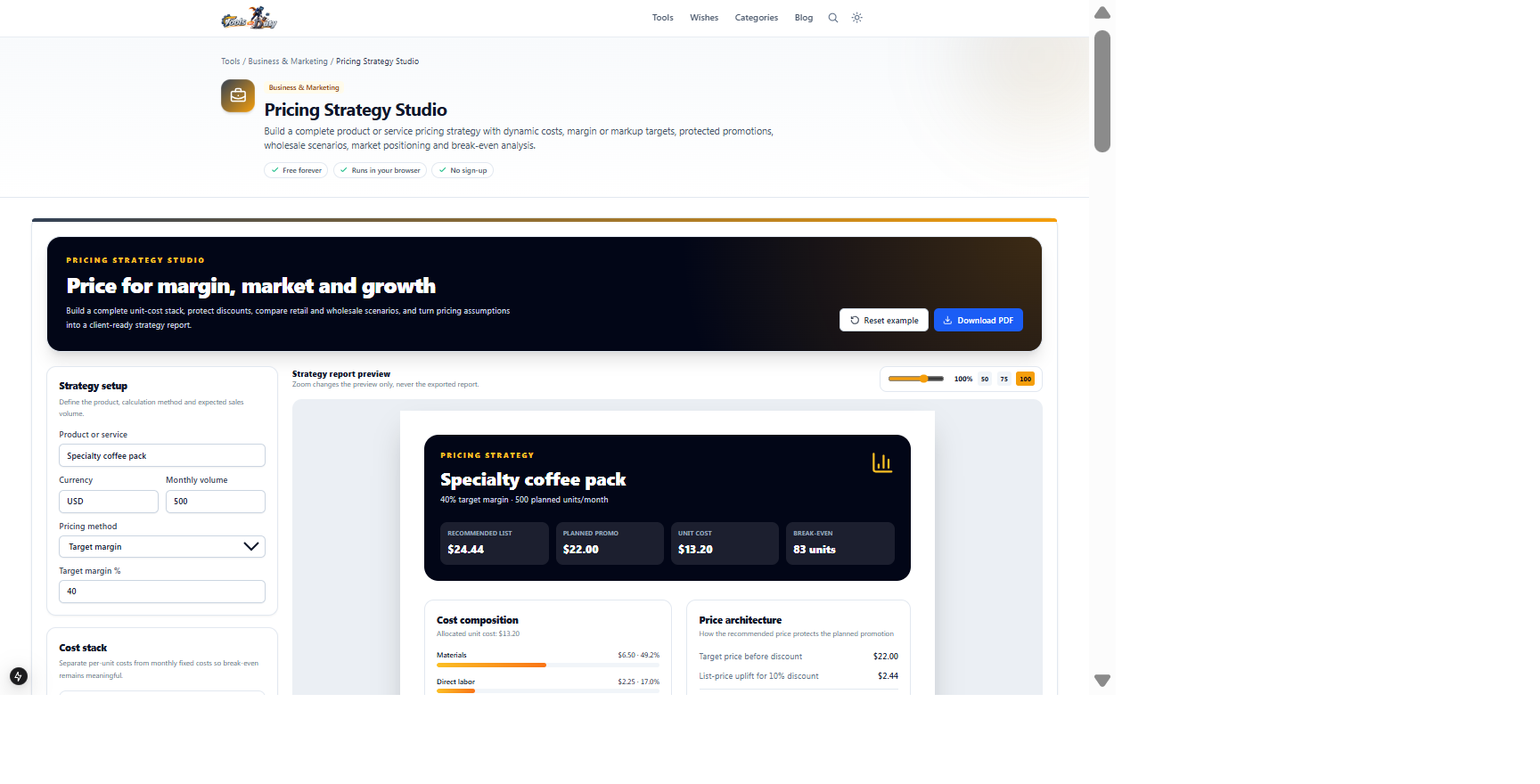
Specialty coffee costs, expected volume, 40% target margin and planned discountRetail, promotion, wholesale and break-even pricing scenariosThe example is loaded automatically. Change a cost or target margin and compare the recommended list price, planned promotion and break-even volume.
Frequently asked questions
- What is the difference between margin and markup?
- Margin expresses profit as a percentage of selling price, while markup expresses the amount added as a percentage of cost. The same percentage produces different selling prices, so select the method used by your organization.
- How are monthly fixed costs included?
- Monthly fixed costs are divided by the planned monthly volume to calculate allocated fixed cost per unit. The break-even calculation separately uses contribution after variable costs so fixed costs are not counted twice.
- How does discount protection work?
- The studio raises the recommended list price so applying the planned promotional discount returns to the selected target price before tax.
- Does the wholesale scenario include marketplace or distributor fees?
- Only costs entered in the cost stack are included. Add commissions, payment fees, returns, fulfillment and other channel expenses as per-unit costs when they apply.
- Is sales tax treated as profit?
- No. Profit and margin calculations use prices excluding sales tax. Tax-inclusive prices are displayed separately for customer-facing comparison.
- Does the market range determine the recommended price?
- No. The range is a reference indicator. The recommendation is cost-and-target based; validate it using customer research, positioning, demand and competitor evidence.
- Is my pricing data uploaded?
- No. Calculations, local autosave and exports run in your browser. Sharing an exported report remains your choice.
Continue your workflow
Open a related tool to prepare your files or refine the finished result.
- Business & MarketingBreak-even Scenario Studio
Model contribution, break-even units, margin of safety and profit across downside, expected and upside sales volumes.
Open tool - Business & MarketingProfit Performance Studio
Analyze gross, operating and net profit with a visual cost waterfall, margin breakdown and growth and downside scenarios.
Open tool - Featured toolBusiness & MarketingQuotation Generator
Design a premium branded quotation with themes, logo, flexible scope rows, taxes, discount, validity, assumptions and approval.
Open tool