
Campaign Metrics Workspace
Compare CPM, CPC, CTR, conversion rate and CPA across multiple campaigns with funnel visuals, targets and budget-allocation insights.
About the Campaign Metrics Workspace
Campaign Metrics Workspace replaces a single-campaign calculator with a comparative paid-media view. Add separate campaigns with impressions, clicks, spend and conversions, then compare delivery, engagement and conversion efficiency using consistent formulas.
The report calculates CPM, CPC, CTR, conversion rate and CPA for every campaign plus a blended total. Set CTR and CPA targets to identify campaigns that meet both engagement and acquisition-efficiency expectations.
A funnel visualization keeps scale loss visible from impression to click to conversion. Use the report to form questions about creative, targeting and landing pages, but compare campaigns only when objectives, attribution windows and conversion definitions are genuinely compatible.
Inputs and draft campaigns remain in local browser storage. Export a client-ready PDF, editable CSV or JSON backup without uploading campaign data.
Key features
- Dynamic add and remove campaign rows
- Impressions, clicks, spend and conversion inputs
- Per-campaign and blended CPM
- CPC, CTR, conversion rate and CPA
- Editable CTR and CPA targets
- Campaign funnel visualization
- On-target and review assessment badges
- Preview zoom from 50% to 125%
- Local autosave and resettable example
- PDF, CSV, print and JSON exports
How to use
- 1Set the reporting currency and comparable CTR and CPA targets.
- 2Add each campaign with impressions, clicks, spend and conversions.
- 3Confirm every campaign uses the same attribution window and conversion definition.
- 4Review blended funnel loss and campaign-level efficiency.
- 5Investigate creative, audience or landing-page causes before moving budget.
- 6Export the analysis for discussion or archive.
Examples
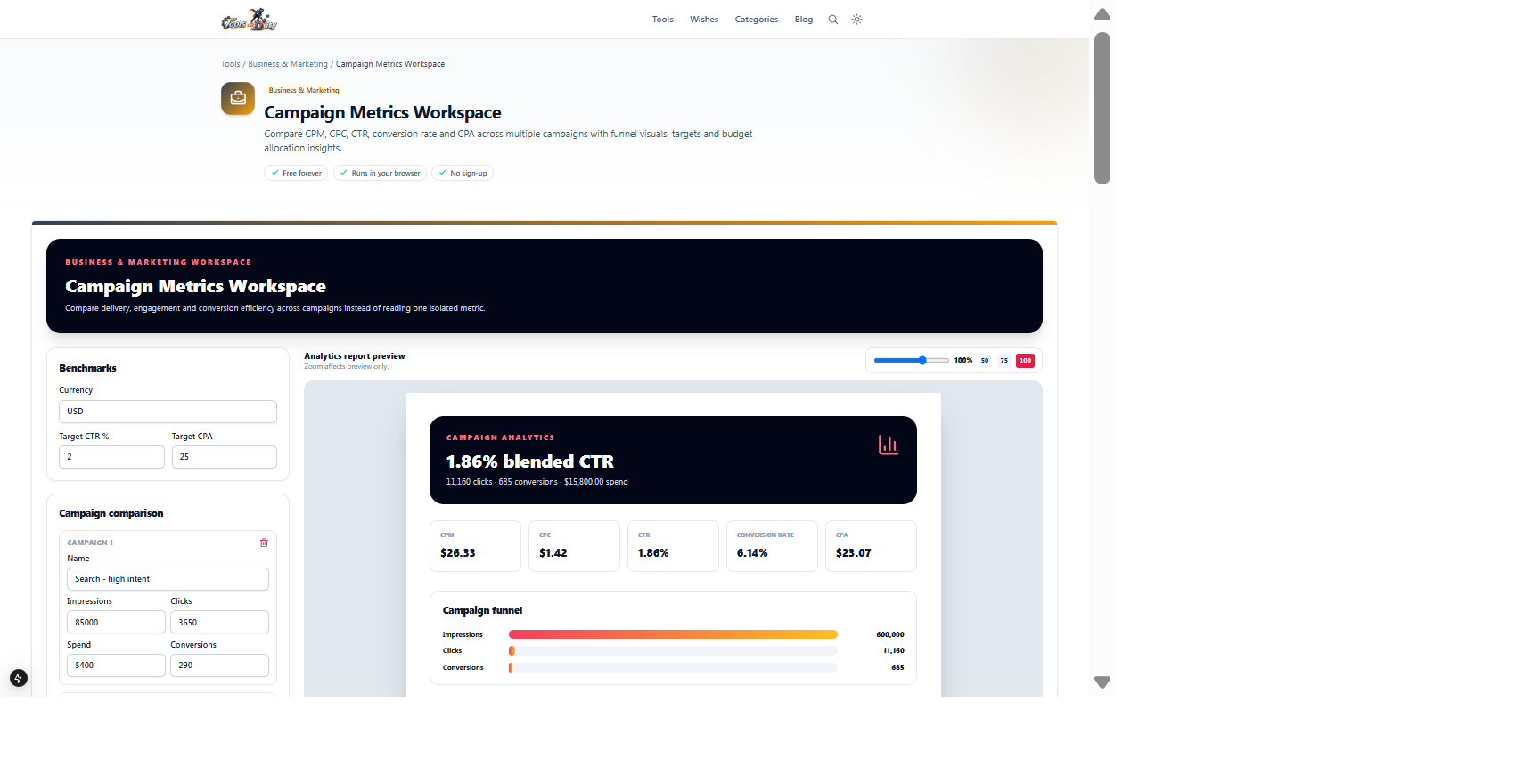
Search, social and retargeting impressions, clicks, spend, conversions and targetsPer-campaign and blended funnel-efficiency reportThe example campaigns are ready for comparison. Confirm that attribution windows and conversion definitions match before interpreting the ranking.
Frequently asked questions
- What is CPM?
- CPM is spend divided by impressions multiplied by 1,000. It measures the cost of delivered exposure.
- What is CTR?
- Click-through rate is clicks divided by impressions, expressed as a percentage.
- What is conversion rate?
- This workspace calculates click-to-conversion rate: conversions divided by clicks.
- Can I compare different platforms?
- Yes, but only when objectives, attribution windows and conversion definitions are aligned. Platform-reported metrics may not be directly equivalent.
- Does the best CPA always deserve more budget?
- No. Consider conversion quality, incremental lift, capacity, audience saturation and customer value.
- Is campaign data uploaded?
- No. Calculations, autosave and exports run locally in the browser.
Continue your workflow
Open a related tool to prepare your files or refine the finished result.
- Business & MarketingROAS Campaign Studio
Evaluate campaign efficiency using platform ROAS, blended spend, gross margin, returns, fees and attribution stress scenarios.
Open tool - Business & MarketingMarketing Calendar Studio
Build a structured cross-channel campaign roadmap with dates, owners, goals, status, budget and primary KPI tracking.
Open tool - Math CalculatorsPercentage Calculator
Work out percentages and ratios quickly.
Open tool