
Business Proposal Builder
Create a premium branded proposal with themes, logo, cover image, persuasive narrative, flexible deliverables, milestones, itemized investment and approval.
About the Business Proposal Builder
Business Proposal Builder turns a service offer into a polished branded document. Select a premium theme, add a logo or cover image, customize colors and typography, and present the client's challenge, your solution and the proposed outcome clearly.
Deliverables, milestones and investment are flexible rows that can be added, removed and reordered. Pricing supports quantities, rates, tax percentages and currency-aware totals instead of restricting the proposal to one fixed fee.
Complete the document with commercial terms, next steps, contact details and an optional signature or stamp. Drafts and images remain local, with high-resolution PNG, multi-page PDF, print and editable JSON exports.
Key features
- Five premium document themes with custom colors and fonts
- Logo, header image, signature and stamp uploads
- Executive summary, challenge and solution narrative
- Dynamic add, remove and reorder deliverables and milestones
- Itemized investment with quantity, rates, taxes and currency
- Terms, next steps, contact and approval sections
- A4 preview with PNG, PDF, print and JSON exports
- Local autosave, no watermark and no account
How to use
- 1Apply a theme and configure organization branding.
- 2Enter the proposal identity, client, dates and reference number.
- 3Write the executive summary, client challenge and proposed solution.
- 4Add and reorder deliverables, milestones and itemized pricing.
- 5Review terms, next steps and authorization, then export the branded proposal.
Examples
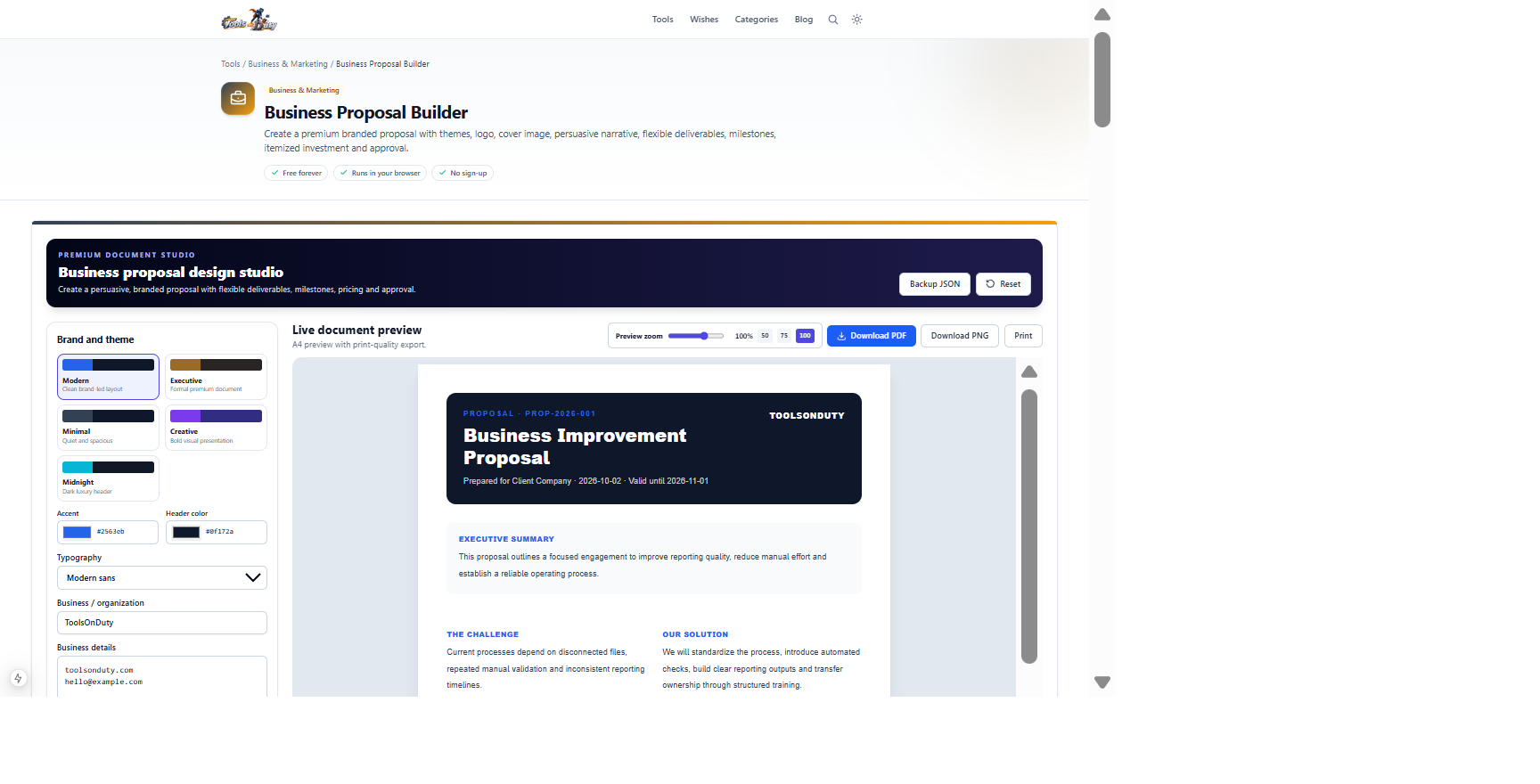
Client challenge, proposed solution, deliverables, milestones, investment and commercial termsA branded proposal ready for PDF, PNG or print exportUse the prefilled proposal to inspect the full document structure, then replace every assumption with approved client information.
Frequently asked questions
- Is the proposal a binding contract?
- Not automatically. It is a proposal document; obtain appropriate professional or legal review for enforceable terms.
- Can I add more deliverables and milestones?
- Yes. Both sections use flexible rows with add, remove and reorder controls.
- Can pricing contain multiple items and taxes?
- Yes. Add any number of pricing rows with description, quantity, rate and tax percentage. The preview calculates the total investment.
- Can I upload branding?
- Yes. Add a logo, cover image and optional signature or stamp, then customize theme colors and typography.
- Are proposal details uploaded?
- No. Drafts, images and exports are processed locally in your browser.
- Which exports are available?
- Download a PDF or PNG, print the proposal, and save an editable JSON backup.
Continue your workflow
Open a related tool to prepare your files or refine the finished result.
- Featured toolBusiness & MarketingMeeting Agenda Maker
Design a branded, timed meeting agenda with premium themes, logo, cover image, movable agenda rows, preparation, decisions and action records.
Open tool - Featured toolBusiness & MarketingProfessional Card Builder
Design premium front-and-back professional, employee, staff, membership and contact cards with templates, drag-and-drop editing, custom backgrounds, QR codes and print-ready exports.
Open tool - Featured toolBusiness & MarketingInvoice Generator
Design a branded professional invoice with premium themes, logo, cover image, flexible line items, taxes, discount, payment details and signature.
Open tool