
Professional Email Signature Generator
Design a branded business email signature with professional templates, flexible images, social links, a CTA and optional compliance text.
Professional template
Start with a polished email-safe layout, then customize every section.
Contact details
Social links
Images and badges
Add a profile photo, company logo, award, certification, or banner and place it on any side.
Call to action and compliance
Brand color
Uploaded images are embedded for privacy, but some email providers remove embedded images. For the best Gmail and Outlook compatibility, use public HTTPS image URLs from a trusted host and test before use.
Live preview
View generated HTML
<table role="presentation" cellpadding="0" cellspacing="0" style="border-collapse:collapse;width:auto;max-width:620px;font-family:Arial,Helvetica,sans-serif;color:#0f172a;">
<tr>
<td style="vertical-align:top;">
<div style="font-size:20px;line-height:1.3;font-weight:700;color:#4f46e5;">Alex Morgan <span style="font-size:11px;font-weight:400;color:#64748b;">(she/her)</span></div>
<div style="margin-top:3px;font-size:14px;line-height:1.5;color:#0f172a;">Product Designer · Experience Design · Example Studio</div>
<div style="margin-top:9px;font-size:12px;line-height:1.7;"><a href="mailto:[email protected]" style="color:#475569;text-decoration:none;">[email protected]</a><span style="color:#cbd5e1;"> | </span>M: <a href="tel:+15550102026" style="color:#475569;text-decoration:none;">+1 555 010 2026</a><span style="color:#cbd5e1;"> | </span><a href="https://example.com/" style="color:#4f46e5;text-decoration:none;">example.com</a></div>
<div style="margin-top:4px;font-size:12px;line-height:1.5;color:#64748b;">120 Market Street, San Francisco, CA</div>
<div style="margin-top:12px;font-size:15px;line-height:1.5;font-weight:700;color:#4f46e5;">Building thoughtful digital experiences</div>
<a href="https://example.com/contact" style="display:inline-block;margin-top:12px;padding:8px 14px;border-radius:4px;background:#4f46e5;color:#ffffff;font-size:12px;font-weight:700;text-decoration:none;">Book a meeting</a>
</td>
</tr>
<tr><td colspan="3" style="padding-top:14px;max-width:620px;font-family:Arial,Helvetica,sans-serif;font-size:9px;line-height:1.45;color:#94a3b8;">This email and any attachments may contain confidential information intended only for the named recipient.</td></tr>
<tr><td colspan="3" style="padding-top:7px;font-family:Arial,Helvetica,sans-serif;font-size:9px;line-height:1.4;color:#4b7f52;">Please consider the environment before printing this email.</td></tr>
</table>About the Professional Email Signature Generator
Professional Email Signature Generator creates a richer branded email footer for consultants, employees, founders, sales teams and organizations that need more than a basic contact block.
Choose Modern for a versatile business layout, Executive for a more traditional serif presentation or Compact when vertical space is limited. Templates control the core visual language while every entered field remains optional.
Build a complete professional identity using name, pronouns, role, department, organization, mobile phone, office phone, email, website, address and tagline. Empty fields are omitted so the result remains appropriate for your own communication style.
Add as many as eight visual assets, including a profile photo, company logo, partner logo, certification badge, award, banner or accreditation mark. Images can be uploaded locally as PNG, JPEG or WebP files up to 2 MB each, or linked from a public HTTPS host.
Each image has independent alt text, clickable HTTPS link, width and placement. Position assets above the details, to the left, to the right or below the signature to reproduce a wide range of corporate signature structures.
Add LinkedIn, X, Facebook and Instagram profile links as text-based social links. A separate call-to-action button can lead recipients to a booking page, portfolio, product demonstration, contact page or another approved HTTPS destination.
Optional legal text supports a confidentiality or compliance disclaimer plus a separate environmental notice. These fields are only formatting helpers; your organization or legal adviser should approve the actual wording.
Generated markup uses email-safe tables and inline styling. User text is escaped, web links are restricted to HTTPS, and the preview is sandboxed. These controls reduce avoidable markup risk but cannot force every email client to render identically.
Uploaded images are embedded as data URLs for privacy and preview convenience. Some email providers remove embedded images, increase message size or fail to show them to recipients. Public HTTPS images generally provide better production compatibility.
Use Copy signature for rich clipboard content, Copy HTML for source integration or Download HTML for a standalone file. Always install and test the result in the actual email service used by your team.
Key features
- Modern, Executive and Compact professional layouts
- Name, pronouns, role, department and organization fields
- Email, mobile phone, office phone, website and business address
- Editable professional tagline
- LinkedIn, X, Facebook and Instagram links
- Custom call-to-action button and HTTPS destination
- Up to eight independently configured images
- Local PNG, JPEG and WebP uploads up to 2 MB per image
- Public hosted HTTPS image URLs
- Profile photos, logos, banners, awards and certification badges
- Top, left, right and bottom image placement
- Per-image width from 24 to 320 pixels
- Per-image alt text and optional clickable HTTPS link
- Editable six-digit brand accent color
- Optional confidentiality or legal disclaimer
- Optional environmental notice
- Email-compatible tables and inline styles
- Escaped user-provided content
- HTTPS-only web, social, CTA and image links
- Sandboxed live preview
- Rich clipboard, HTML source copy and HTML download
- Plain-text clipboard fallback
- Browser-only editing without an account or watermark
How to use
- 1Choose Modern, Executive or Compact based on your brand and available signature space.
- 2Enter professional identity details and leave any field empty that should not appear.
- 3Add mobile, office, website and address information only when appropriate for external recipients.
- 4Enter approved LinkedIn, X, Facebook or Instagram HTTPS profile links.
- 5Upload or link profile photos, logos, banners, awards and certification badges. Use transparent PNG files for logos where possible.
- 6Set meaningful alt text, an optional destination link, placement and width for every image.
- 7Choose the brand accent color and review text contrast in the live preview.
- 8Optionally configure a concise CTA such as Book a meeting and link it to an approved HTTPS destination.
- 9Add only organization-approved disclaimer and environmental wording.
- 10Copy the rich signature or download its HTML, then install it through your email provider's signature settings.
- 11Send tests to Gmail, Outlook, Apple Mail and mobile clients. Confirm image loading, dark mode, wrapping, links and replies.
- 12If uploaded images disappear after installation, replace them with permanent public HTTPS image URLs.
Examples
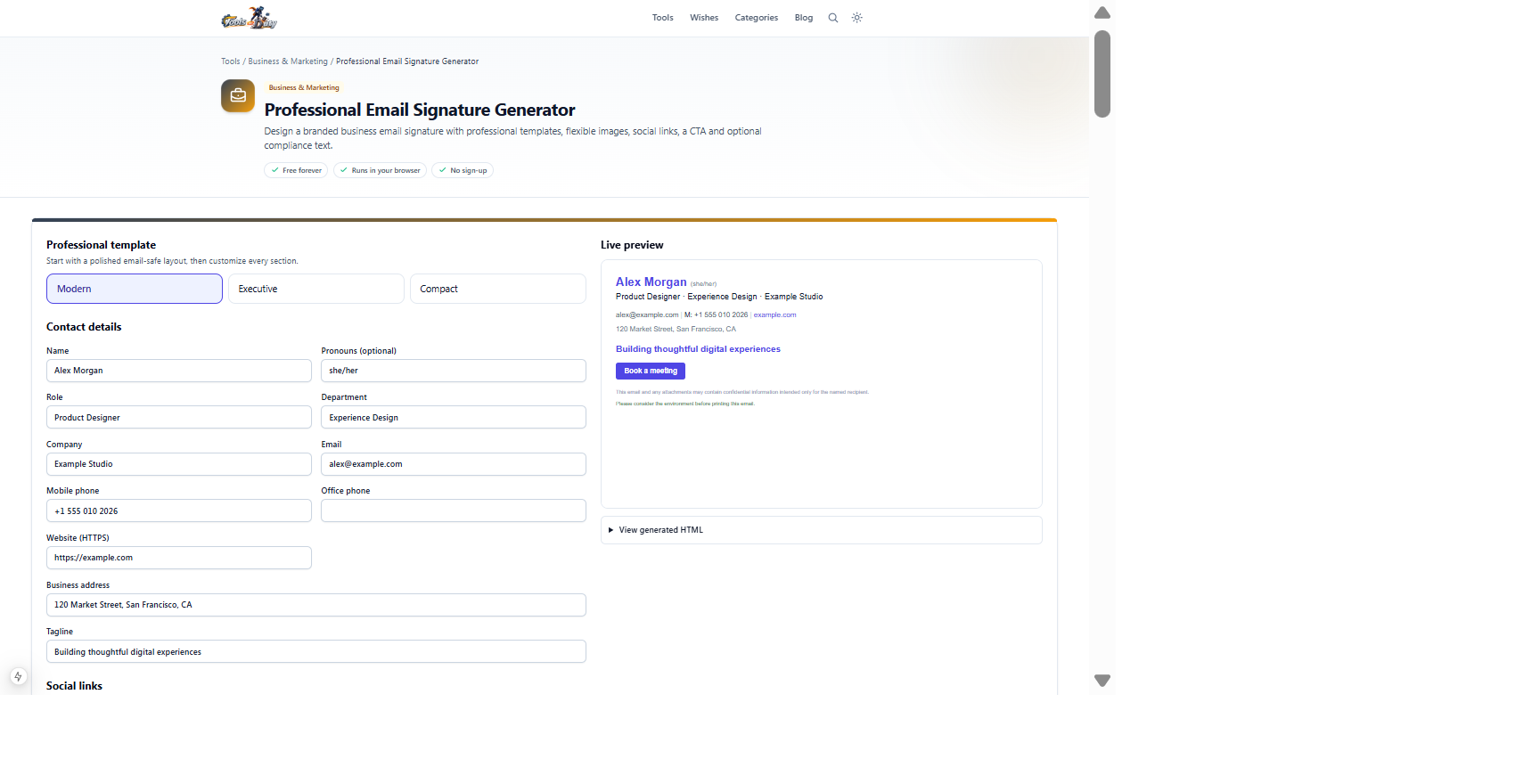
Professional identity, organization details, logo, social profiles, call to action and disclaimerCopy-ready rich signature, HTML source and downloadable HTML fileUse the prefilled signature to compare templates and image placement, then test the final result in the email client used by your team.
Frequently asked questions
- Who is this professional generator for?
- It is suitable for employees, consultants, founders, sales representatives, agencies and organizations that need branded signatures with multiple images, social links, CTA or compliance text.
- How is it different from the simple Email Signature Generator?
- This version adds three layouts, multiple images, local uploads, flexible placement, pronouns, department, office phone, address, tagline, four social links, CTA and disclaimer fields.
- How many images can I add?
- You can add up to eight images across the signature. Each image has independent source, alt text, link, placement and width.
- Which image formats can I upload?
- The browser uploader accepts PNG, JPEG and WebP files up to 2 MB each.
- Where can images be placed?
- Each image can appear above the details, to the left, to the right or below the signature. Multiple images assigned to the same region are arranged together.
- Should I upload images or use hosted URLs?
- Uploads are private and convenient but become embedded data URLs, which some email clients remove. Permanent public HTTPS URLs usually offer better production compatibility.
- Why did my uploaded image disappear after pasting?
- Your email provider may remove data URLs or sanitize embedded images. Host the image on an approved public HTTPS server and use its URL instead.
- Can an image link to a website?
- Yes. Add an HTTPS clickable link to a logo, badge, photo or banner. Unsafe or invalid protocols are omitted.
- Are social-media icons included?
- The generated signature uses lightweight text social links for reliability rather than depending on externally hosted icon graphics.
- What can the CTA button link to?
- It can link to an HTTPS booking page, contact form, portfolio, product page or another approved destination. Invalid or non-HTTPS destinations are omitted.
- Does the tool provide legally valid disclaimer wording?
- No. It formats the text you provide. Ask your organization or legal adviser to approve confidentiality, regulatory and environmental wording.
- Is my information or uploaded image sent to ToolsOnDuty?
- No. Editing and file reading happen locally in your browser. Remote images are loaded from the HTTPS host whose URL you provide.
- Is the generated HTML completely safe?
- The tool escapes entered text, restricts relevant URLs to HTTPS and uses a sandboxed preview. You should still inspect custom HTML modifications and follow your organization's security policy.
- Why does the signature look different in Outlook?
- Desktop Outlook versions may use Microsoft Word's rendering engine and support less CSS than browsers. Table layouts help, but exact spacing, fonts and image behavior can still differ.
- Will it work in dark mode?
- Results vary because email clients apply different dark-mode transformations. Send real tests and ensure logos remain visible on both light and dark backgrounds.
- How large should my signature be?
- Keep it compact and prioritize essential information. Large images, many badges and long disclaimers can dominate replies, increase message size and reduce readability.
- What should I test before company-wide use?
- Test Gmail, Outlook desktop and web, Apple Mail and mobile clients. Verify all links, image permissions, wrapping, dark mode, replies, forwards, message size and approved legal wording.
- Is there a watermark or paid export?
- No. Rich copy, HTML copy and HTML download are free and unwatermarked.
Continue your workflow
Open a related tool to prepare your files or refine the finished result.
- Business & MarketingEmail Signature Generator
Quickly create a clean, lightweight table-based email signature with contact details, one logo and copy-ready HTML.
Open tool - Featured toolBusiness & MarketingProfessional Card Builder
Design premium front-and-back professional, employee, staff, membership and contact cards with templates, drag-and-drop editing, custom backgrounds, QR codes and print-ready exports.
Open tool - Image ToolsQR Code Generator
Create scan-ready QR codes with payload starters, custom colours, quiet zones and PNG or SVG export.
Open tool