
Business Name Workspace
Generate, score and shortlist business-name directions using brand keywords, industry context, naming style, descriptor and optional location.
About the Business Name Workspace
Business Name Workspace is a guided ideation tool rather than a random word combiner. Enter brand keywords, choose an industry and naming style, and describe the business so each generated direction has useful context.
The workspace mixes keyword-led, compound, style-led, partnership and optional location-led structures. Every idea includes its naming structure, a short rationale and a heuristic score for side-by-side comparison.
Shortlist promising names with one click and generate additional sets without losing saved favourites. The score is only an ideation aid; it does not measure real customer preference, trademark strength or legal availability.
Before adopting any name, search relevant trademark databases and company registries, check domains and social handles, and test pronunciation and unintended meanings with the target market. Drafts remain local and can be exported as CSV or JSON.
Key features
- Editable keyword groups
- Industry-aware vocabulary across nine sectors
- Modern, professional, friendly, bold and minimal styles
- Optional brand descriptor and location
- Twelve varied naming structures per set
- Explanation for every generated direction
- Heuristic comparison score
- Persistent favourite shortlist
- Generate-another-set control
- Local autosave plus CSV, JSON and print exports
How to use
- 1Enter three or more distinctive brand keywords.
- 2Select the closest industry and intended naming style.
- 3Describe the offer and optionally add a meaningful location.
- 4Review the structure, explanation and score for each direction.
- 5Shortlist promising names and generate additional sets.
- 6Perform trademark, registry, domain, social-handle and language checks before adoption.
Examples
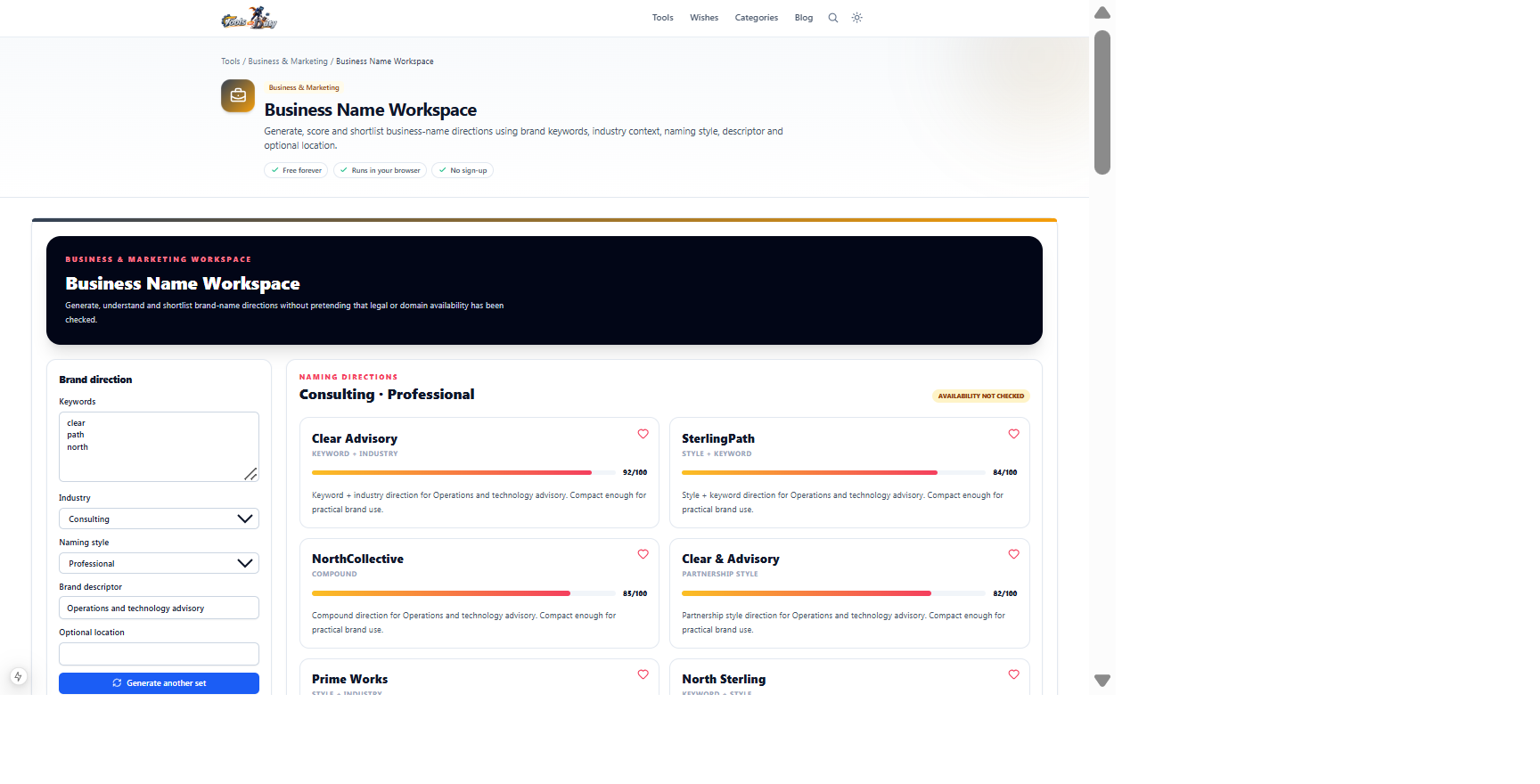
Brand keywords, Consulting industry, Professional style and an operations descriptorTwelve explained and scored naming directions with shortlist controlsThe default example produces immediate directions. Generate another set or change the style, but independently verify trademark, company and domain availability.
Frequently asked questions
- Does the workspace check trademarks?
- No. It does not query trademark offices or company registries. Perform official searches in every relevant jurisdiction.
- Does it check domain availability?
- No. Domain and social-handle availability can change quickly and must be checked separately.
- What does the score mean?
- It is a lightweight heuristic based on structure and practical length. It is not legal clearance, linguistic research or evidence of customer preference.
- Can I save favourite names?
- Yes. Use the heart control to build a shortlist stored locally in the browser.
- Can I generate another set without losing favourites?
- Yes. Generate another set changes naming combinations while preserving the shortlist.
- Is my naming project uploaded?
- No. Keywords, generated sets and favourites remain in local browser storage.
Continue your workflow
Open a related tool to prepare your files or refine the finished result.
- Featured toolBusiness & MarketingProfessional Card Builder
Design premium front-and-back professional, employee, staff, membership and contact cards with templates, drag-and-drop editing, custom backgrounds, QR codes and print-ready exports.
Open tool - Business & MarketingEmail Signature Generator
Quickly create a clean, lightweight table-based email signature with contact details, one logo and copy-ready HTML.
Open tool - Featured toolBusiness & MarketingBusiness Proposal Builder
Create a premium branded proposal with themes, logo, cover image, persuasive narrative, flexible deliverables, milestones, itemized investment and approval.
Open tool - Image ToolsQR Code Generator
Create scan-ready QR codes with payload starters, custom colours, quiet zones and PNG or SVG export.
Open tool